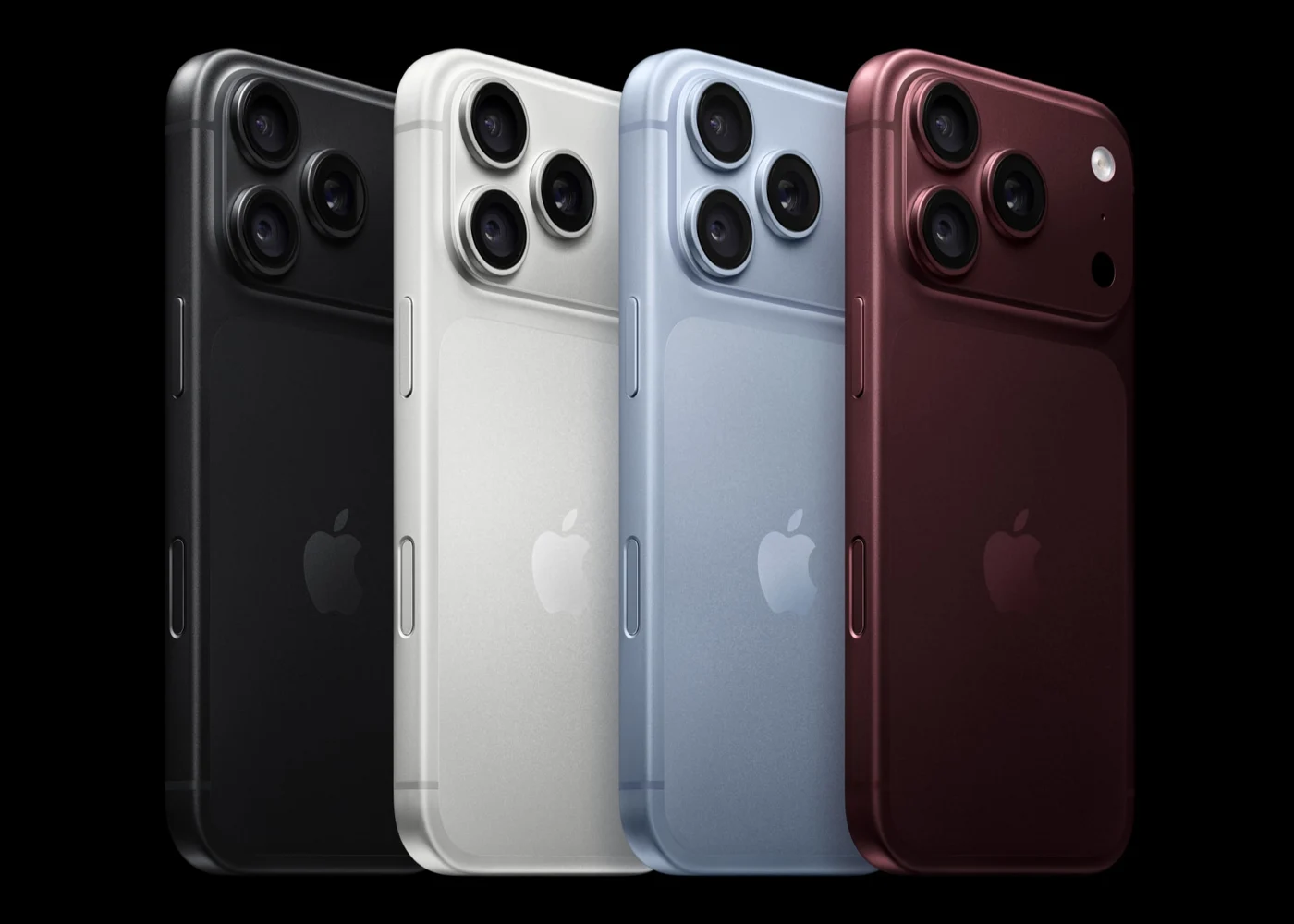
In this story
Before switching to the iPhone 18 Pro, it is worth looking at the charging brick and the cable in your hand as two separate questions. Shortening top-up time and exporting footage faster may require fixing different links in the chain.
First, align the fast-charge conditions
Apple's official description of fast charging for the iPhone 18 Pro is: using a 60W-capable or higher adapter that supports Adjustable Voltage Supply (AVS), paired with a USB-C charging cable, about 15 minutes gets you to 50%[1]. At least three qualifiers in that sentence are easy to skip over.
First, "60W-capable or higher" means the adapter has the ability to output at that level, not that the phone continuously draws 60W from the adapter. How much power the phone actually takes is decided by charging protocol negotiation; the adapter only opens the ceiling. Second, the official page explicitly requires AVS, so you cannot judge compliance only by the largest wattage printed on the adapter's shell. Third, charging cables and data cables are judged differently; the included cable supports charging, and you cannot conclude it fails to support fast charging just because its data speed is USB 2.[2]
Apple's support document has another, broader statement: a 20W USB-C power adapter or a higher-wattage USB-C power adapter can charge your iPhone faster[2]. That sentence is not wrong, but it does not promise the specific "15 minutes to 50%" figure. An old 20W brick can still charge; just do not use it to benchmark against that 15-minute line on the official page. The two sentences address different promises, and reading them together produces two inaccurate conclusions: "just buy any 60W and it works" or "20W is about the same."
MagSafe is a separate line. The official page says: paired with a 35W or higher adapter and a MagSafe Charger, about 30 minutes gets you to 50%[1]. Here too you must separate things: MagSafe wireless charging output tops out at 25W, and the adapter input requirement is 35W or higher. 25W is the ceiling delivered to the phone on the wireless side; 35W is the threshold the adapter side must meet. The two numbers do not describe the same position. Treating 25W as "just buy a 25W brick" or treating 35W as "wireless can run at 35W" both mix input and output together.
The included cable charges, but you cannot infer speed from its rating
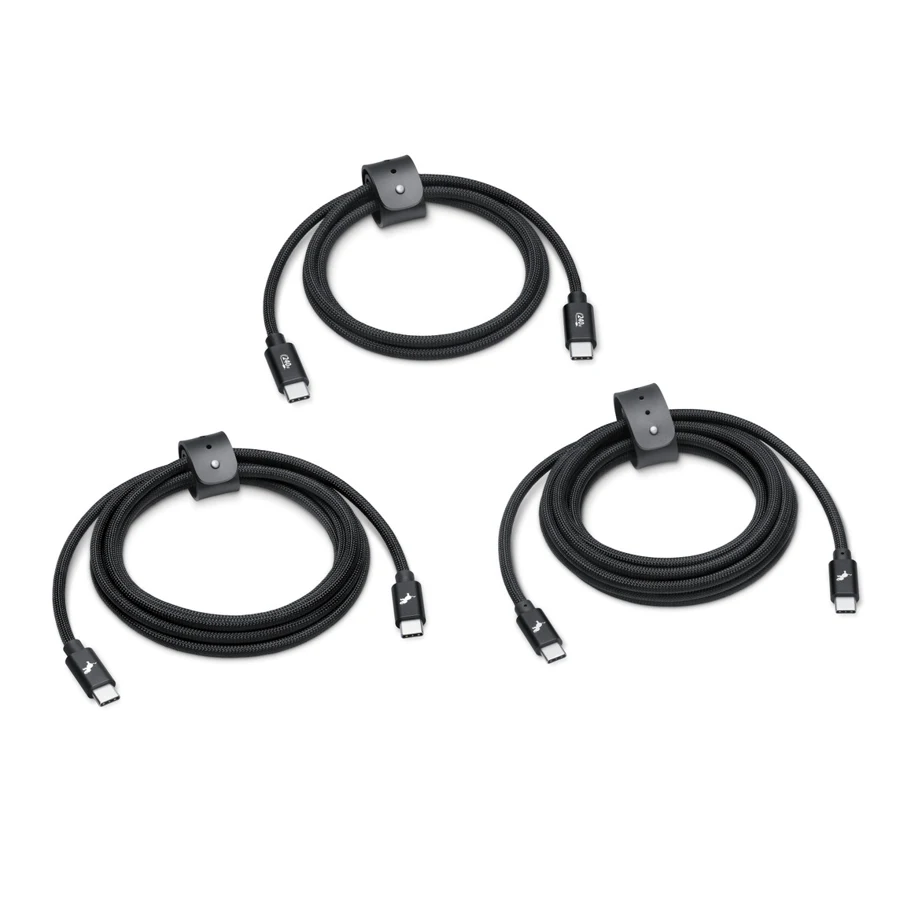
The USB-C charging cable included in the iPhone 18 Pro box is described clearly in Apple's support document: it supports charging and USB 2 speeds[2]. This cable charges fine, and it can transfer photos when plugged into a computer, but its data channel is at the USB 2 level.
In the official tech specs, the iPhone 18 Pro's USB-C connector supports USB 3, up to 10Gb/s[1]. The support document further states that to reach 10Gbps you need a compliant USB 3 cable, such as the optional USB 3 cable; the included cable is not on that list[2]. The key here is not "the more expensive the cable, the better," but that the cable itself must meet the USB 3 data specification. A cable labeled 60W or 240W is stating power delivery capability, not data bandwidth. Power delivery and data transfer are two independent channel capabilities within USB-C; a cable can be strong on power but slow on data, or fast on data but modest on power rating. If you look only at wattage when buying a cable, you may end up with a combination that charges fast and transfers footage at a crawl.
The host side also has conditions. The support document says these iPhone models support USB 3 data transfer when used with a USB 3 cable, and specific external recording capability still needs to be verified separately by shooting mode[2]. But the phrase "matching host device" cannot be omitted: the computer's USB-C port itself must support USB 3 or higher, the cable must be compliant, and only then will the phone side negotiate to the corresponding speed. If that computer port is only USB 2 level, no cable upgrade will produce 10Gbps. Apple does not promise specific measured speeds; the official page states the interface capability ceiling, and actual speed is affected by host, cable, file type, and system state.
Start with the equipment you already own
If you only top up briefly on your commute and already have a 20W or higher USB-C adapter and the included cable, this combination can charge and can charge faster[2]. It does not meet the official 15-minutes-to-50% condition, and whether it is enough to complete your pre-departure top-up goal still depends on actual use. Whether to upgrade depends on how much you care about those 15 minutes.
If you often charge overnight, MagSafe is another path. It requires a 35W or higher adapter plus a MagSafe Charger, about 30 minutes to 50%[1]. Overnight charging is not time-pressed anyway; the advantage of this path is that you drop it down and it charges, with no plugging and unplugging. But if you already have a 30W adapter, it does not meet the 35W threshold, and the MagSafe fast-charge line does not apply. Failing that test condition also means you cannot calculate your specific charging time from it.
If you export footage in large quantities, the priority changes. The included cable transfers data at USB 2 level; to run USB 3 at 10Gbps you need a compliant USB 3 cable, and the host interface must match[2]. At this point, first confirm your computer's USB-C port specification, then decide what cable to buy. If the computer port itself does not support USB 3, fix the host side first, otherwise a cable upgrade is meaningless. If the computer port supports it, a compliant cable rated for 10Gb/s is one requirement for using that interface capability. You do not need to change the charging brick to transfer files, and you do not need to change the data cable to charge; the bottleneck for the two things may be in different places.
Back to the original question: charging and transferring files are not the same specification purchase. For the 15-minute fast charge, you need a 60W-capable or higher adapter that supports AVS, plus a USB-C cable; it is not that the phone continuously draws 60W, and not that any 60W will achieve it. For the MagSafe 30 minutes, you need a 35W or higher adapter plus a MagSafe Charger, and you cannot conflate 25W wireless output with adapter input. The included cable charges, but you cannot derive 10Gbps from a 60W or 240W rating. 10Gbps requires a compliant USB 3 cable and a matching host device, and Apple does not promise measured speed. Layer by the gear you already have and fill whichever link is missing; that is closer to actual need than replacing the whole set.
Before ordering, write the question down to the specific port
When checking a charging brick, first note the model and the specific port you plan to use, then check whether the manufacturer's specs explicitly list AVS and the corresponding output capability. If it is a multi-port adapter, also check the allocation rules when multiple devices are connected at once. The big number on the front of the box may describe the whole adapter's capability and cannot automatically be treated as output available from any single port in any combination. Without complete specs, do not fill in a compatibility conclusion for it, and do not rush to order for an unverified speed promise.
For data cables, look at the data rate marking separately. If the purchase page only states fast-charge wattage, you cannot judge from that whether it reaches the 10Gb/s data specification. Put the cable's explicit rating together with the computer port's support information, then decide whether a cable change is needed. If you already have a suitable data cable, there is no need to buy another just because the new phone has a new name; only when the current link does not match does an upgrade have a clear target.
You can also start by testing the files you will actually transfer. Use the same batch of footage, the same computer port, and the same destination, and record the time to complete the transfer. This record helps judge whether the current wait is worth paying to improve, but it is not equivalent to a professional interface performance test. The number of small files, the read/write device, application handling, and other background tasks can all affect the result, and a single copy duration should not be converted directly into the limit of the entire link.
There is also a reasonable opposite choice. If you export footage infrequently and the existing cable, though not fast, completes the task in acceptable time, then keeping your gear for now is not necessarily a compromise. If every job means waiting for a large amount of footage and the time cost is already clear, then finding out which link limits efficiency is more worthwhile than spending based on the impression that "a pro phone should have a pro cable." Charging is the same: people whose short top-ups genuinely affect their departure schedule have more reason to study the official conditions; people with a stable charging window do not need to treat the minutes to half charge as a primary metric.
This article is based on Apple's tech specs and the support document updated on September 17, discussing accessory selection conditions, and does not provide our own measurements.[1][2] The charging curve varies with initial battery level, settings, and environment, and about 15 minutes to 50% should not be linearly extrapolated to 30 minutes for a full charge. Official figures give a reference under specific conditions; your own purchase decision should still return to the devices you already have on hand and the tasks you encounter every day.
Mentioned in this story
These links lead to official or retailer pages. We currently earn no affiliate commission from them. Check the destination for regional availability, configuration and pricing.
iPhone 18 Pro View official specifications ↗